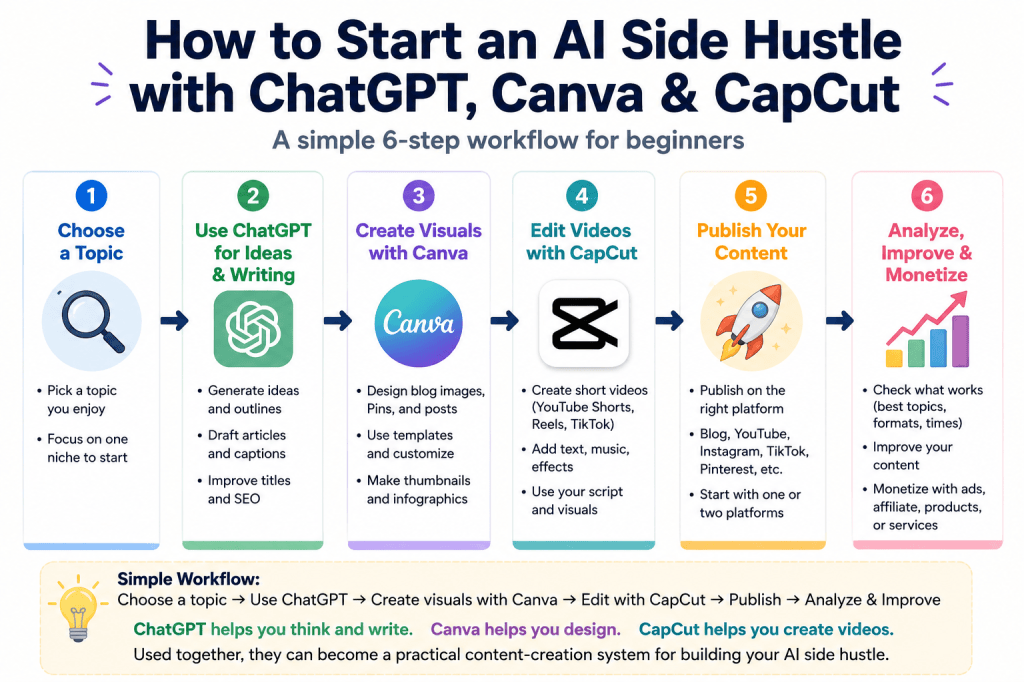
How to Start an AI Side Hustle with ChatGPT, Canva, and CapCut
AI tools are making it easier than ever to start a side hustle, even if you have no professional design, writing, or video editing experience.
But many beginners have the same question:
“What should I actually use ChatGPT, Canva, and CapCut for?”
The key is understanding that these three tools have different roles. When you combine them, you can create a simple workflow for producing blog posts, social media content, videos, and other digital content.
1. Start with a Clear Topic
Before using any AI tool, decide what type of content you want to create.
For example:
- Personal finance and money-saving tips
- Travel and local guides
- Food and recipes
- Lifestyle content
- AI tutorials
- Product reviews
- Educational content
You do not need a perfect idea from the beginning. Choose one topic you can continue learning about and creating content around.
2. Use ChatGPT for Ideas and Writing
ChatGPT can act as your brainstorming and writing assistant.
You can use it to:
- Generate content ideas
- Research possible topics
- Create blog outlines
- Draft articles
- Write social media captions
- Brainstorm YouTube video ideas
- Improve titles and headlines
- Create SEO-friendly content structures
Instead of asking ChatGPT to do everything at once, give it a clear task and improve the result step by step.
3. Use Canva for Visual Content
Once your text is ready, Canva can help turn your ideas into visual content.
You can create:
- Blog graphics
- Pinterest pins
- Instagram posts
- YouTube thumbnails
- Infographics
- Simple digital products
You do not need advanced graphic design skills. Starting with a clean template and customizing the text, images, and layout is often enough.
4. Use CapCut for Video Editing
If you want to turn your content into short-form videos, CapCut is a useful next step.
It can help you create:
- YouTube Shorts
- Instagram Reels
- TikTok videos
- Short tutorials
- Promotional videos
You can combine scripts created with ChatGPT, graphics made in Canva, and video editing in CapCut.
5. Publish Your Content
Once your content is ready, publish it on the platform that best matches your goal.
This might include:
- A blog
- YouTube
- TikTok
- Other social media platforms
Beginners do not need to use every platform at once. Starting with one or two platforms is usually easier to manage.
6. Analyze, Improve, and Monetize
Publishing is only the beginning.
Look at which topics attract the most views, clicks, comments, or engagement. Then use that information to improve your next piece of content.
As your audience grows, possible monetization methods can include advertising, affiliate marketing, digital products, sponsored content, or services.
A Simple AI Side Hustle Workflow
The basic workflow is:
Choose a topic → Use ChatGPT for ideas and writing → Create visuals with Canva → Edit videos with CapCut when needed → Publish → Analyze and improve
You do not need to master every AI tool before starting.
The most important thing is to create something useful, publish consistently, learn from the results, and gradually improve your workflow.
ChatGPT helps you think and write.
Canva helps you design.
CapCut helps you create videos.
Used together, they can become a practical content-creation system for building an AI-powered side hustle.